

Sweep.
Use the soft brush to move loose dust and crumbs from keyboard edges and small spaces.
ForLoose debris + keyboard edges
Spend $50 more to get FREE shipping!
A small reset for your desk
2-in-1 Screen & Keyboard Cleaning Tool
Keep a brush and a soft cleaning pad together in one compact tool for everyday device care.

One compact, dual-ended cleaning tool.
Function map / Two ends
Use the soft brush to move loose dust and crumbs from keyboard edges and small spaces.
Switch to the clean, dry pad for fingerprints and light smudges on compatible surfaces.
 Loose dust first. Light pressure throughout.
The desk-reset runbook
Turn the device off and check its manufacturer’s cleaning guidance.
Extend the brush and gently sweep loose dust and crumbs away from the keyboard.
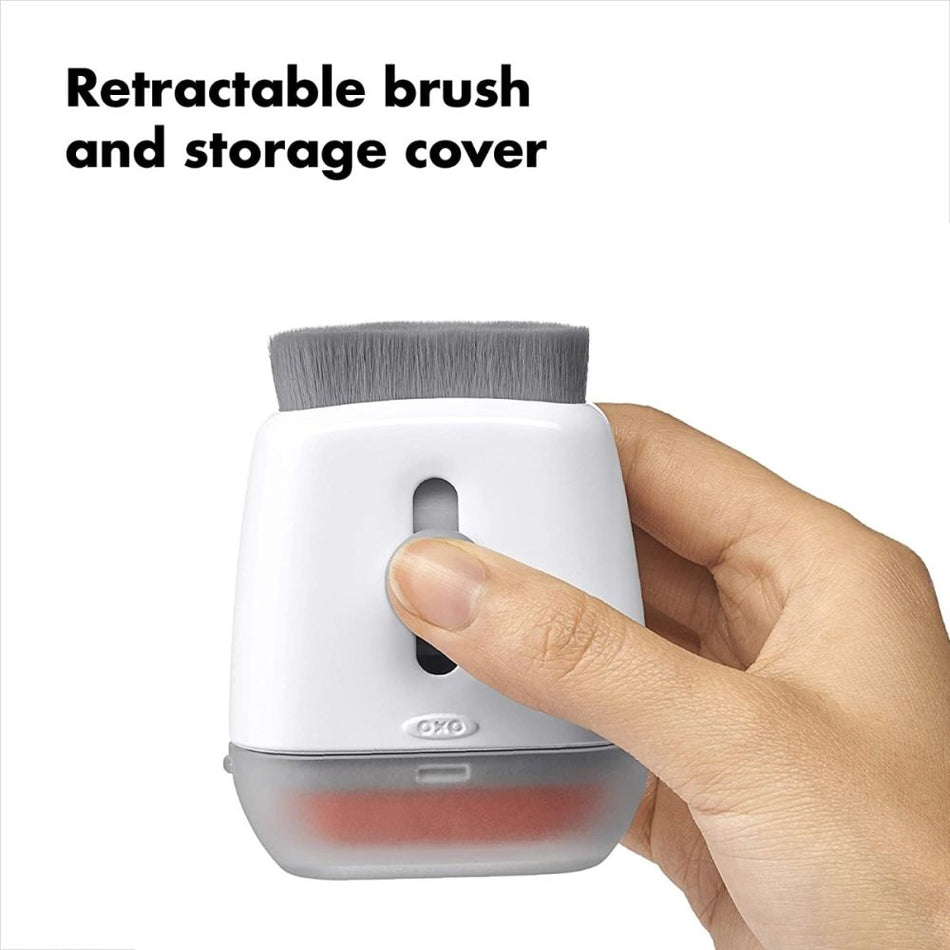
Use the clean, dry pad with light pressure on compatible surfaces. Retract the brush and replace the cover when finished.
Close the loop
The brush retracts, and the protective cover keeps the cleaning surfaces tucked away between uses. Keep the tool close to your workspace or carry it in your everyday kit.
It is intended for routine cleaning of laptops, phones and tablets. Follow your device manufacturer’s guidance, especially for coated screens.
Use it dry for routine dust and fingerprint cleaning. Only add liquid when both the tool instructions and your device manufacturer allow it.
Keep the pad free of grit and follow the included care instructions. Let any washed components dry completely before using them on electronics.